
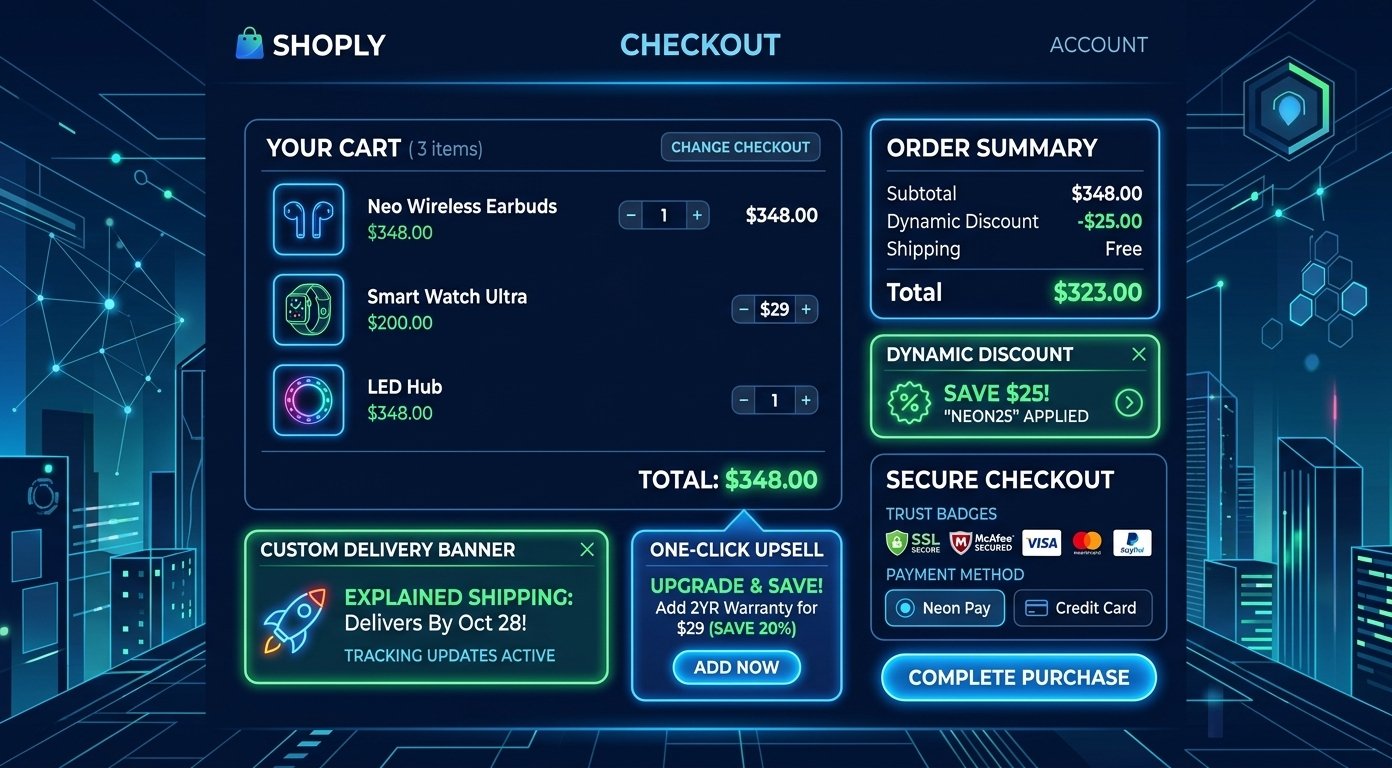
Optimizing the final stage of your sales funnel is critical for driving revenue and reducing cart abandonment. Implementing custom Shopify Checkout UI Extensions allows store owners to tailor the buyer experience, showcase trust signals, and maximize average order value without breaking native checkout security.
With Shopify moving away from legacy checkout scripts, modern developers use app-based extensions to insert native components directly into the checkout layout. Utilizing Shopify Checkout UI Extensions ensures your checkout page remains fast, secure, and fully responsive across all mobile and desktop devices.
Essential Shopify Checkout UI Extensions to Scale Store Revenue
Here are 7 high-converting strategies to customize your checkout flow, enhance user experience, and drive higher sales conversion rates.
1. Add In-Checkout Product Upsells and Cross-Sells
Offering complementary products right before order completion is one of the most effective ways to boost average order value. Using Shopify Checkout UI Extensions, you can dynamically display personalized add-ons like warranties, gift wrapping, or trending accessories based on items currently in the customer’s cart.
2. Display Custom Trust Badges and Security Seals
Shoppers often hesitate at the payment step if security guarantees are not visible. Installing custom extension banners enables you to highlight money-back guarantees, SSL security seals, and verified payment icons directly alongside card input fields to instantly build purchasing confidence.
3. Integrate Dynamic Order Banners and Free Shipping Bars
Incentivize customers to add more items to their cart by showing real-time progress bars. Dynamic shipping banners built with Shopify Checkout UI Extensions alert buyers how much additional spend is required to unlock free shipping or expedited dispatch options.
To learn more about optimizing your entire online store structure, check out our guide on Digital Marketing and SEO Strategies to explore how performance, speed, and conversion rate optimization work together.
4. Collect Custom Customer Fields and Delivery Instructions
Bespoke e-commerce brands often require additional order details, such as delivery notes, gift messages, or custom registration numbers. Extensions allow you to insert native text boxes, checkboxes, and date pickers directly into the checkout layout without complex code customizations.
5. Highlight Live Social Proof and Real-Time Reviews
Reinforcing buyer confidence during checkout reduces last-second cart drop-offs. Incorporating star ratings, recent customer testimonials, or verified purchase count badges via Shopify Checkout UI Extensions keeps buyers focused on completing their transaction.
6. Offer One-Click Loyalty Reward Redemption
Rewarding returning customers directly at checkout increases retention and repeat purchases. Custom UI widgets allow store members to view their active loyalty point balances and apply instant discount codes with a single tap before final payment authorization.
7. Track Performance Benchmark Signals and Page Analytics
Monitoring your checkout conversion funnel helps you identify where shoppers drop off. You can evaluate core loading times and technical scripts using Google PageSpeed Insights to ensure third-party checkout extensions do not slow down your page speed.
Why Checkout Optimization Matters for E-Commerce Growth
Customizing your checkout process is no longer just about visual design—it directly impacts profit margins. Moving to app-based Shopify Checkout UI Extensions gives you the flexibility to test conversion offers, streamline customer input, and deliver frictionless purchasing journeys at scale.
By implementing targeted upsells, displaying trust signals, and streamlining order fields, your Shopify store will convert higher volumes of checkout traffic into completed orders.



